AI project 2026 · Java · Spring Boot · SQL · XML · Incident management

SolutionDesk

A small digital learning platform and the support desk behind it. Every error carries an error code and a request ID; support analyses incidents with structured logs, read-only SQL diagnostics and a knowledge base, then resolves them or escalates to Hosting or Development.

Photo of Amrina
Amrina

How to use it

About six minutes: you follow one incident from the learner's error page to the resolved ticket.

  1. Open the app. The free hosting sleeps when idle, so the first load can take about a minute.
  2. See it as the learner: Learner view → choose Sam Richter in the support bar → test the course link KWM-HY-201. Note the error code and request ID.
  3. Pick up the ticket: Tickets → SD-104. The request trail shows the reason from the log.
  4. Confirm with SQL: open the knowledge base article, run Why can't a learner see a course?. Verdict: group mismatch.
  5. Resolve: move to In analysis, then Resolved with root cause and resolution. Without a root cause the app refuses.
  6. Try more: SD-108 (broken XML, reproduce it in Course packages), SD-103, SD-107. Export for Jira as CSV.

All data is sample data and resets when the server restarts.

Skills it shows

Built around the daily work of an incident specialist for e-learning software.

SkillIn the project
JavaSpring Boot 3 on Java 21: services, JDBC repositories, controllers, central error handling; 43 JUnit and MockMvc tests
SQLSchema with constraints and indexes, plain SQL repositories, six parameterised read-only diagnostic queries
XMLCourse package importer with a validate-only dry run: encoding, well-formedness, required fields, references; DOCTYPE blocked against XXE
HTML / CSSServer-rendered pages (Thymeleaf), responsive layout, lesson HTML reduced to a safe allowlist
Log and error analysislogfmt logs with request ID, error code, owner team, path, status and duration; error groups, search, request trails
Incident handlingSupport dashboard, impact × urgency priority, first-response SLA, filters, internal notes vs. replies to the customer, workflow rules, escalation with evidence, Jira CSV export
Knowledge baseOne article per error code: symptom, cause, how to check, workaround, when to escalate

In the app

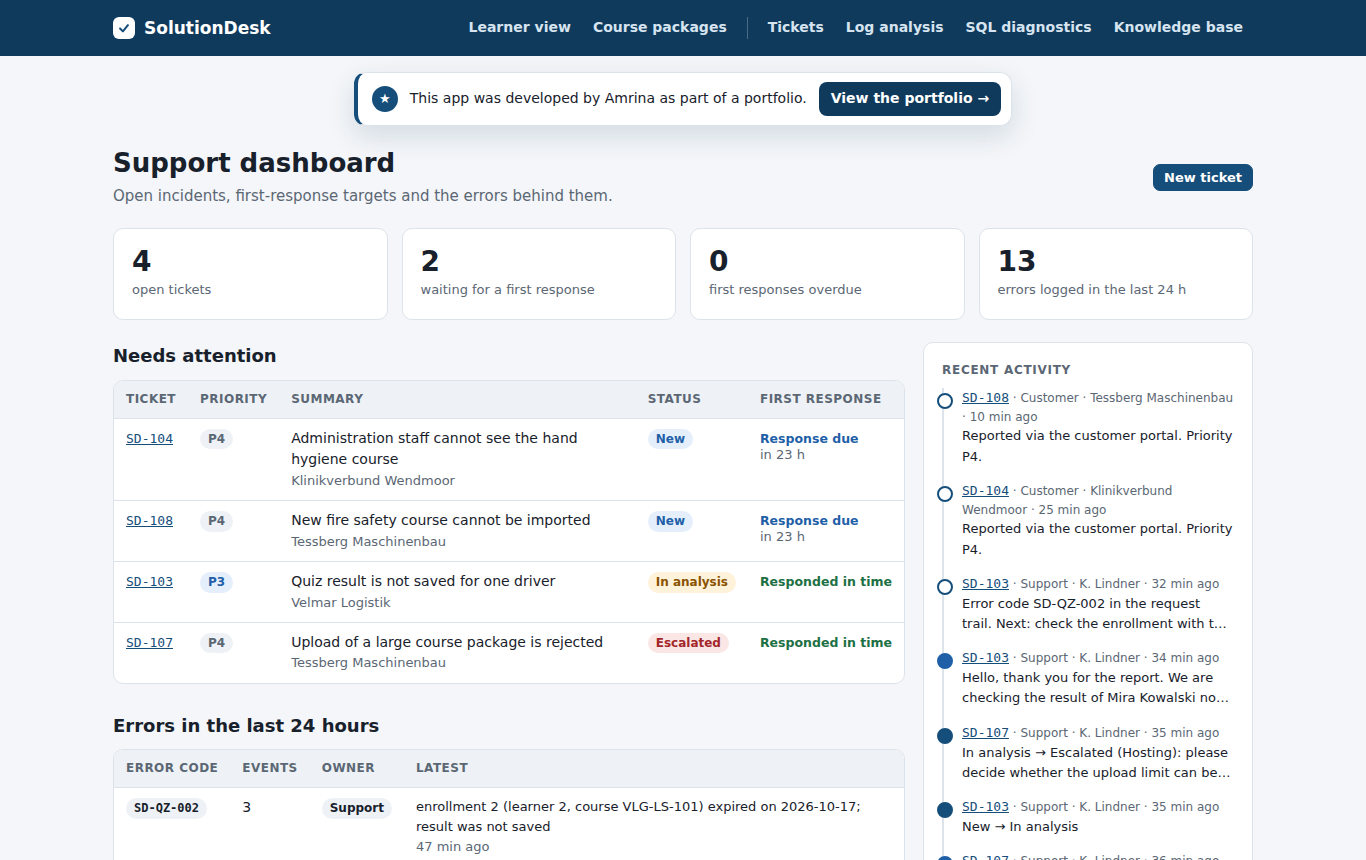
Support dashboard with tickets that need attention, SLA and recent activity
The support dashboard: open tickets by first-response status, errors of the last 24 hours and recent activity.
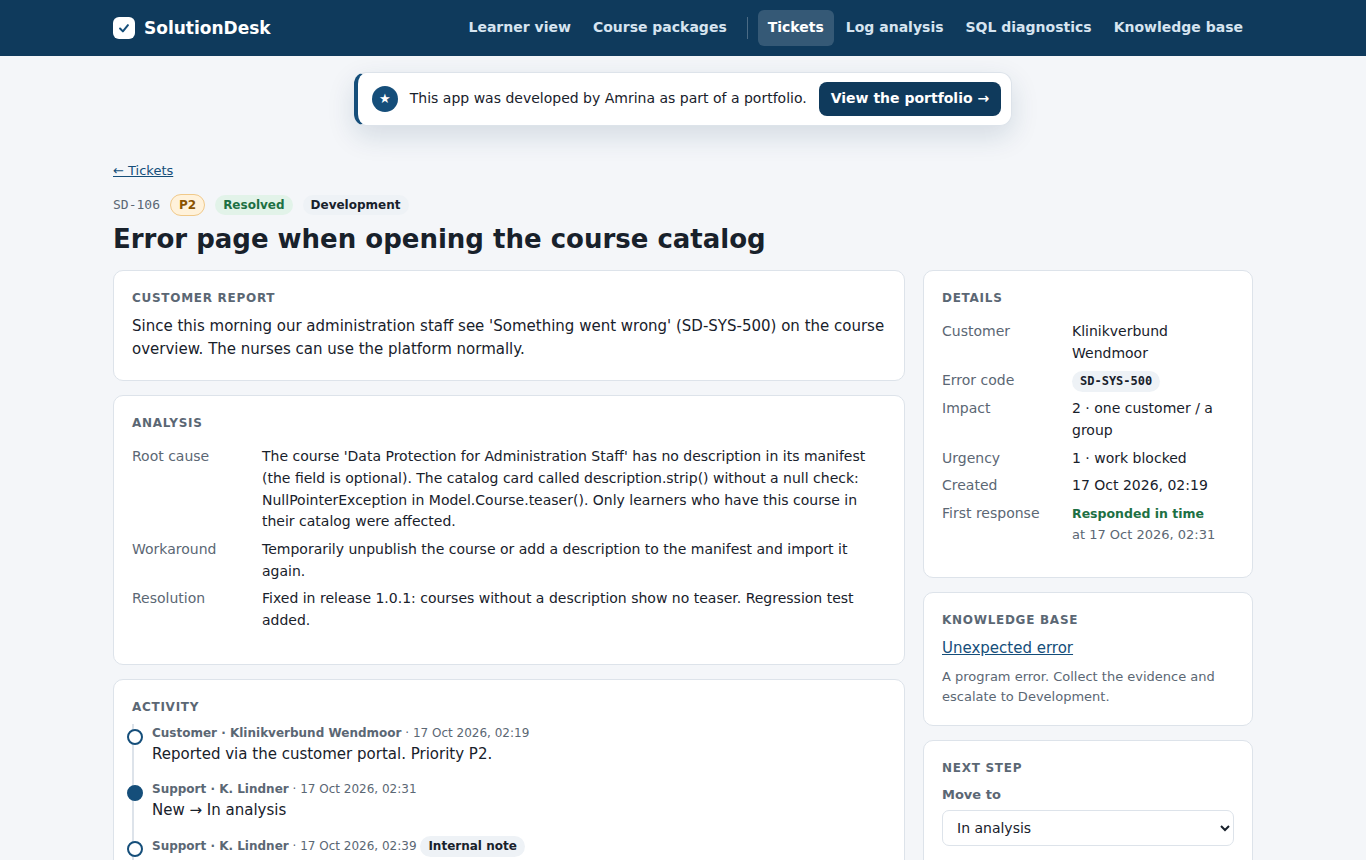
Ticket SD-106 with analysis, activity and next step
A resolved incident: customer report, root cause, workaround, resolution and the full activity, including the escalation to Development.
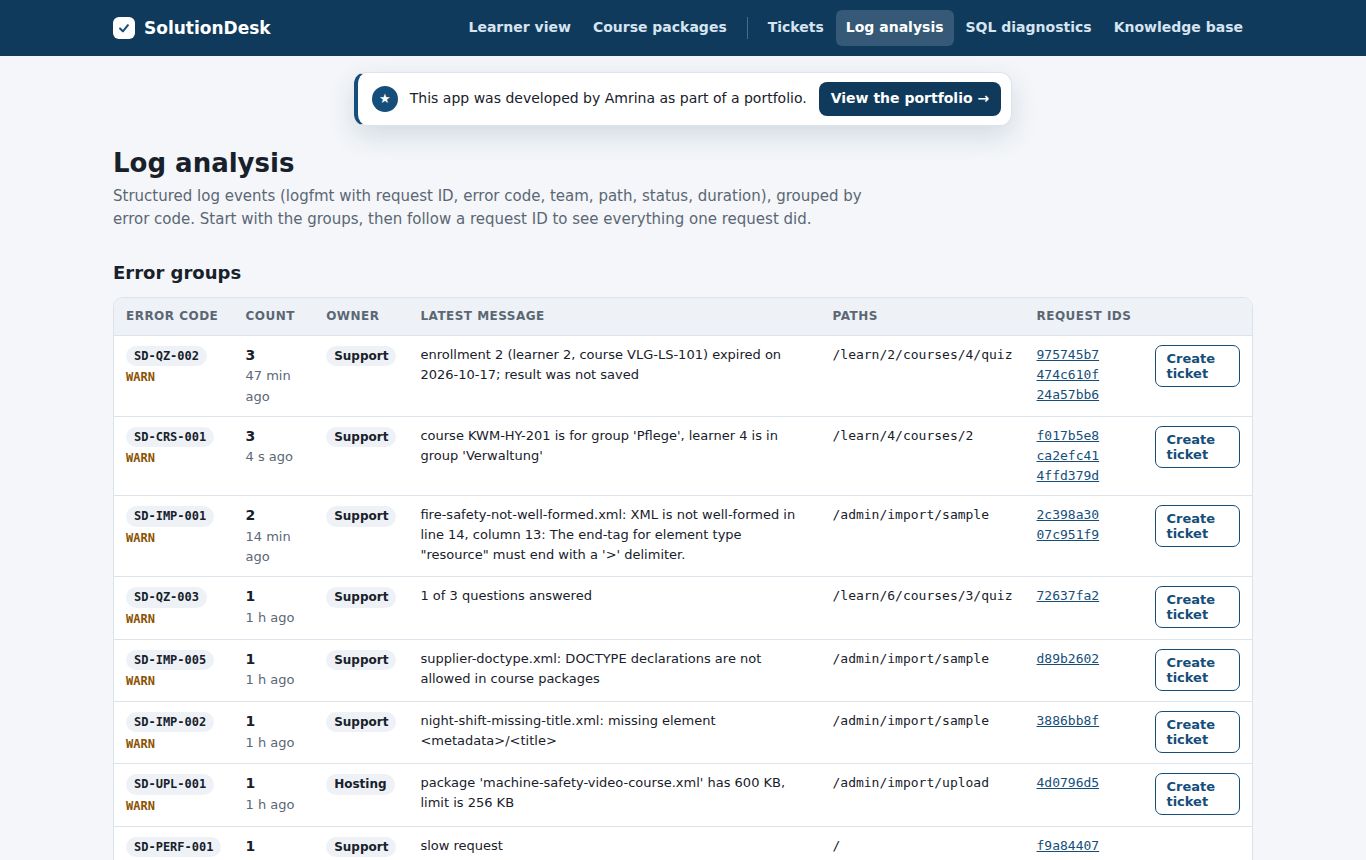
Error groups in the log analysis
Log analysis: errors grouped by code, with owner team, paths and request IDs.
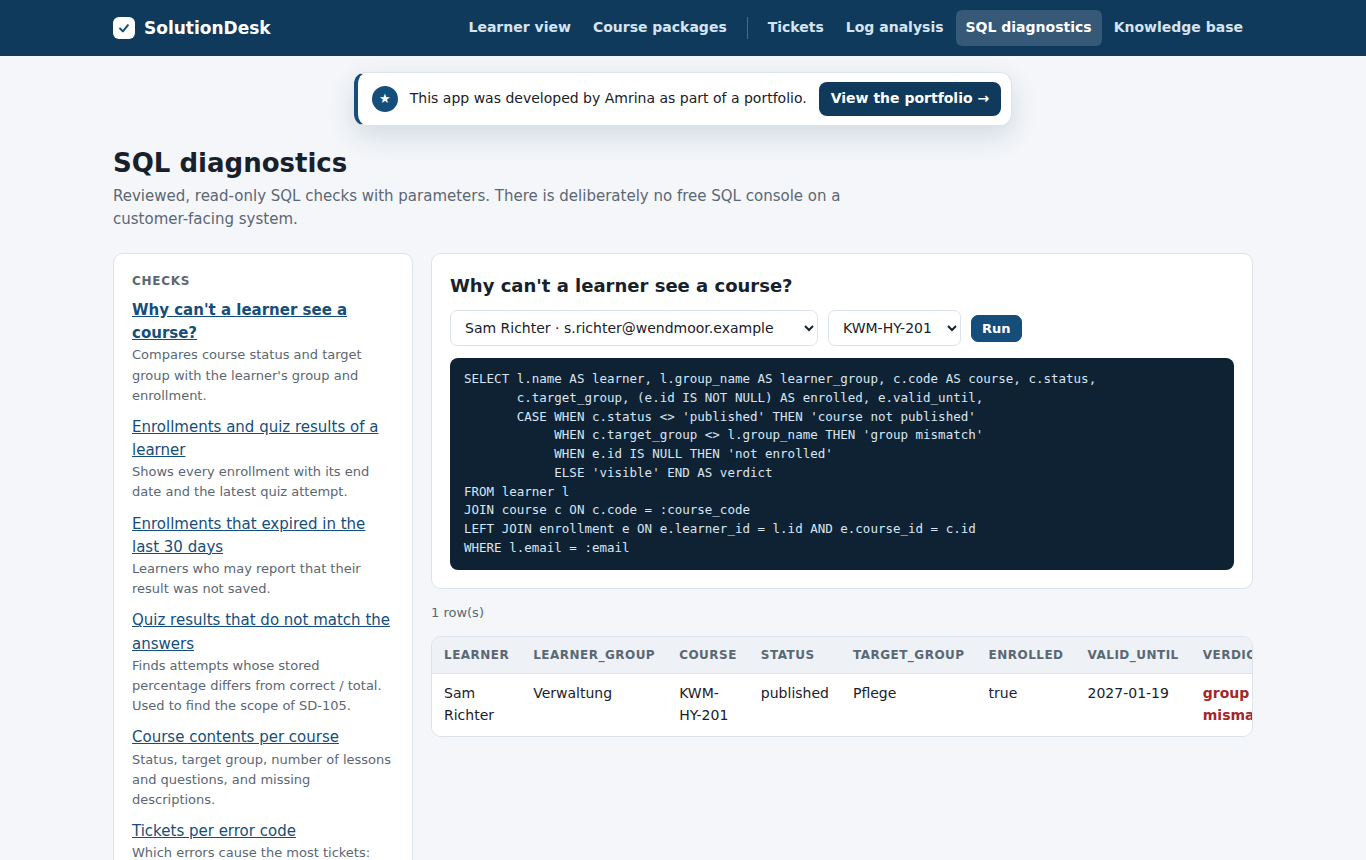
SQL diagnostic with verdict group mismatch
SQL diagnostics: reviewed, parameterised and read-only.
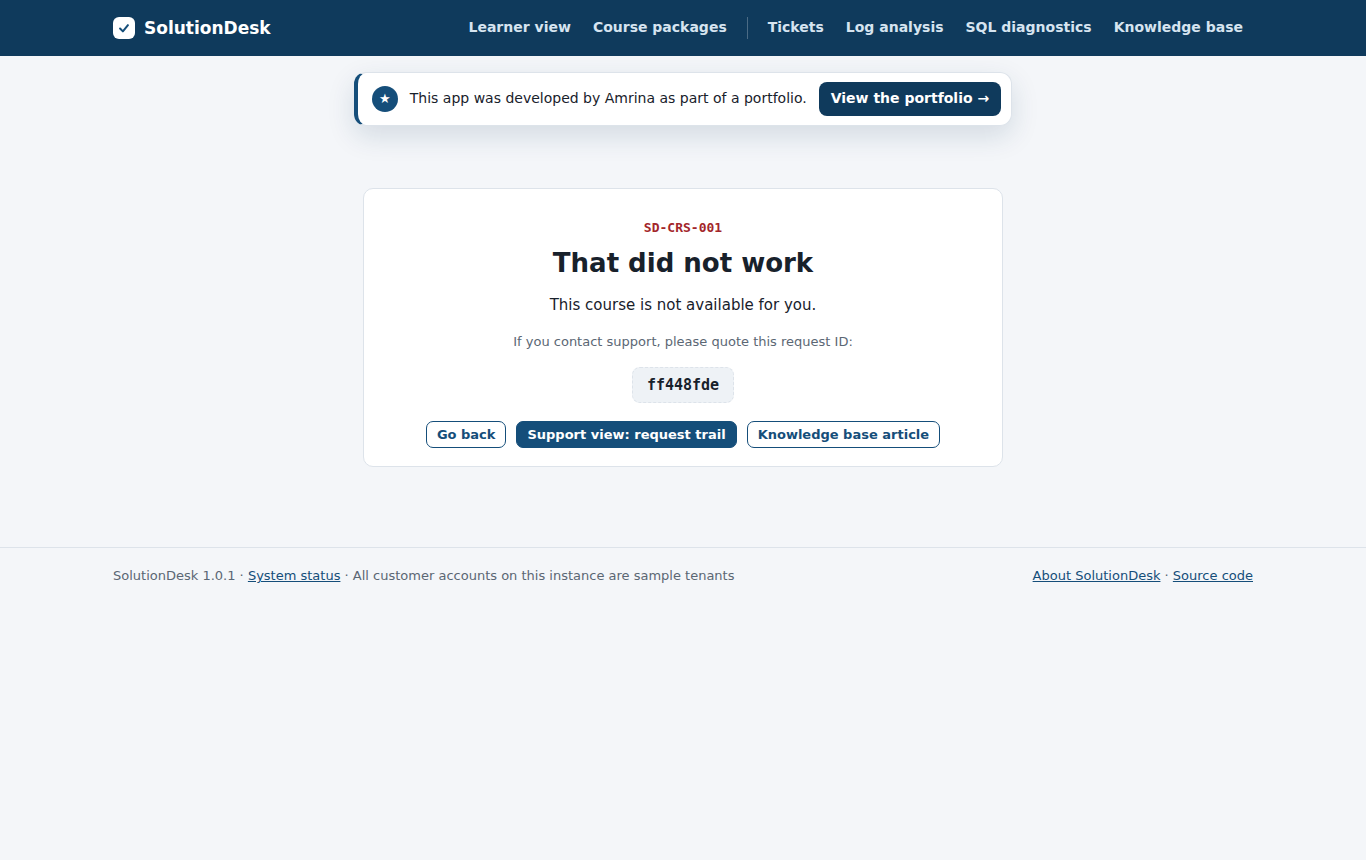
Learner error page with error code and request ID
What the learner sees: a clear message, the error code and the request ID to quote.
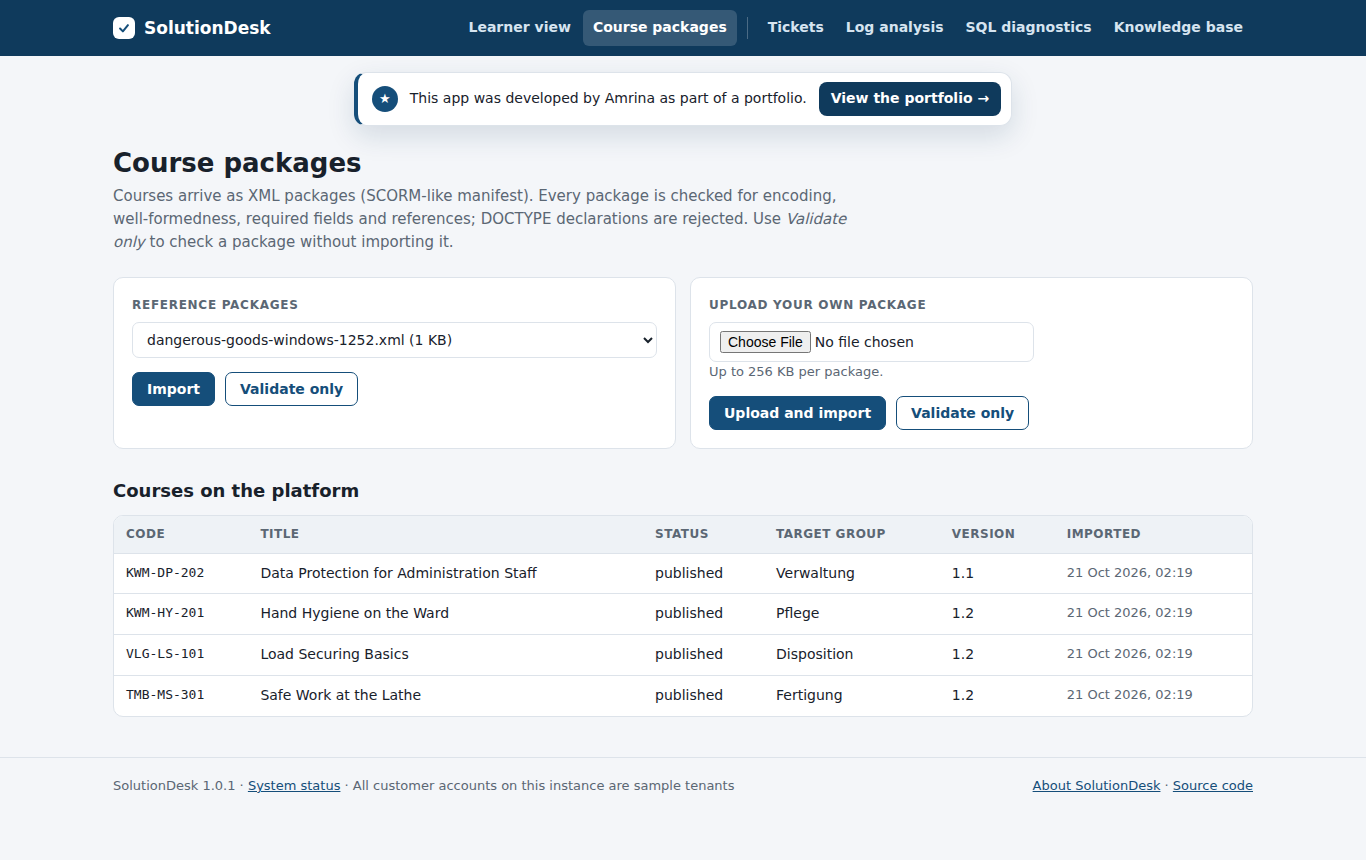
Course package import
Course packages: valid and broken samples that reproduce real incidents.

From incident to fix

Two code bugs were planted on purpose in the first release and fixed afterwards, each with a regression test that fails before the fix.

TicketSymptomRoot causeFix
SD-105Quiz shows 0 % although most answers were correctInteger division: (correct / total) * 1001faa067: multiply first, regression tests
SD-106Error page on the course catalog for one groupNullPointerException for a course without descriptionc2e402c: null-safe teaser, regression tests